Look, buying a DTF printer isn’t like picking out a new phone. Get it wrong and you’re stuck with a machine that either can’t keep up with demand or sits there collecting dust because you overbought.
I’ve seen both happen. A lot.
DTF printing has kind of exploded in the last few years. The global DTF market was valued at around $1.2 billion in 2023 and it’s projected to grow at nearly 10% annually through 2030. Those numbers aren’t slowing down. More people want custom apparel. More businesses want in.
But here’s the thing. The printer that works perfectly for a home-based Etsy seller is completely wrong for someone running a production shop. And vice versa.
This guide is going to walk you through everything. How DTF actually works. How to figure out what your business needs. The technical stuff that matters. The stuff that doesn’t. And how to avoid the expensive mistakes people make.
We’ll cover print quality, production volume, ROI, maintenance—all of it. By the end you’ll know exactly what to look for. And what to ignore.
Let’s get into it.
What is DTF Printing Technology?
DTF stands for Direct-to-Film. Pretty straightforward.
You print your design onto a special PET film. Apply adhesive powder. Cure it. Then heat press it onto fabric. That’s the basic idea.
What makes DTF different from other methods? A few things.
DTF vs. DTG (Direct-to-Garment): DTG prints directly onto the shirt. Sounds great in theory. But it’s picky about fabric types and needs pre-treatment. DTF transfers work on basically anything—cotton, polyester, blends, even some leather and nylon. Way more versatile.
DTF vs. Screen Printing: Screen printing is still king for huge orders. Like thousands of the same design. But setup costs are high and it’s terrible for small batches or one-offs. DTF has no minimum. Print one shirt, print fifty. Doesn’t matter.
DTF vs. Sublimation: Sublimation only works on polyester or poly-coated items. Period. If you want to print on cotton, you’re out of luck. DTF doesn’t care what fabric you’re working with.
The benefits for businesses? Flexibility. Lower startup costs compared to screen printing. No minimum orders. Vibrant colors. Soft hand feel on the print. Works on dark and light garments without extra steps.
It’s not perfect. Nothing is. But for small to medium custom apparel businesses? DTF makes a lot of sense right now.
How DTF Printing Works
The process isn’t complicated once you understand it. Five steps.
Step 1: Design preparation. You create or load your design in software. Mirror the image. Basic stuff.
Step 2: Printing on PET film. The printer lays down the CMYK colors first, then a white ink layer. The white is important—it’s what makes colors pop on dark shirts.
Step 3: Powder adhesive application. While the ink is still wet, you apply a TPU powder. Some printers do this automatically. Some you do by hand with a shaker.
Step 4: Curing. Heat melts the powder so it bonds with the ink. Usually around 160-180°C. Takes maybe 2-3 minutes.
Step 5: Heat transfer. Press the cured film onto your garment. Standard heat press. Around 160°C for 15-20 seconds. Peel while hot or cold depending on the film type.
Done.
That’s your finished product. The whole process from design to done can take under 10 minutes once you’ve got a rhythm going.
Understanding Your Business Needs Before Buying a DTF Printer
Here’s where most people mess up.
They see a printer with cool features or a good price and just… buy it. Without thinking about what they actually need.
Different businesses need different specs. A startup testing the waters doesn’t need the same machine as an established shop doing 500 prints a day. Obvious, right? But people get this wrong constantly.
Before you look at a single printer, figure out your business first.
1. Determine Your Production Volume
Be honest with yourself here. How many prints do you actually need?
Not how many you hope to do someday. How many you’ll realistically do in the first year.
Here’s a rough breakdown:
Small scale: 1-50 prints per day. This is home businesses, side hustles, testing the market. An A3 or A3+ desktop printer handles this fine. Don’t overbuy.
Medium scale: 50-200 prints per day. Established custom shops. E-commerce businesses with steady orders. You need a 24″ or 60cm width printer. Something with dual or quad printheads.
Large scale: 200+ prints per day. Production facilities. Wholesale operations. You’re looking at industrial machines with i3200 heads, high-speed output, full automation.
Match your production needs to the machine. Overbuying ties up capital. Underbuying creates bottlenecks.
2. Identify Your Target Market
Who are you selling to?
Custom t-shirt businesses need versatility. Different colors, different sizes, one-offs and small batches.
Promotional product companies often do bulk orders of the same design. Speed matters more than flexibility.
Fashion brands care about print quality above everything. Fine details. Color accuracy. They’ll wait longer for better results.
Sports teams want durability. Prints that survive washing and stretching.
Print-on-demand services need fast turnaround and consistency. Automation features become more important.
Your target market affects which features matter most. A printer optimized for speed isn’t the same as one optimized for detail.
3. Assess Your Budget and ROI Expectations
Let’s talk money.
The printer itself is just one cost. There’s also:
- Ink (white ink especially adds up)
- PET film (buying in bulk helps)
- Adhesive powder
- Maintenance and parts
- Electricity
- Space (some setups need a dedicated room)
Entry-level DTF printers start around $1,500-$3,000. Mid-range goes $5,000-$15,000. Industrial setups can hit $30,000+.
Consumable costs run maybe $1-3 per print depending on size and ink coverage. Selling prices for custom shirts are usually $15-35 retail, $8-15 wholesale.
Do the math. If your profit margin per print is $10 and your total investment is $5,000, you break even at 500 prints. That’s achievable in a few months for most businesses.
But don’t just look at break-even. Look at the 3-year picture. A cheaper machine with higher consumable costs might actually cost more long-term than a pricier printer that’s more efficient.
Key Factors to Consider When Choosing a DTF Printer

Okay, now we get technical. These are the specs and features that actually matter. Some matter more than others depending on your situation.
1. Print Width and Size Capabilities
DTF printers come in different widths. Common options:
- A3 (about 13″) — Small prints, basic t-shirt graphics
- A3+ (13″+) — Slightly larger, still desktop-sized
- 24″ (60cm) — Most popular for serious businesses
- 60cm+ — Production level
Think about what you’re printing. Regular t-shirts? A3+ might be fine. Hoodies with full front designs? You want 24″ minimum. Banners or oversized prints? Go bigger.
XCInkjet offers multiple width options across their lineup. Worth looking at their range to see what matches your product needs.
2. Print Speed and Production Efficiency
Speed gets measured in square meters per hour or prints per hour. Faster sounds better. But there’s a tradeoff.
Faster printing sometimes means lower quality. Draft modes exist for a reason.
For most businesses, look at realistic production speeds at the quality level you need. A printer that does 10 sqm/hr at draft mode but only 3 sqm/hr at high quality? That 3 sqm/hr is your real number.
Also consider the whole workflow. An automatic powder shaking system saves massive time compared to manual shaking. That’s production efficiency that doesn’t show up in the print speed spec.
3. Print Quality and Resolution
DPI—dots per inch—is the main spec here. Higher DPI means finer detail.
For DTF printing, 720 DPI is the baseline for decent quality. 1440 DPI gives you sharper edges and better gradients. Some printers go higher.
But DPI isn’t everything. Printhead technology matters too.
Epson i3200 heads are the current gold standard. Fast and reliable.
XP600 heads are cheaper and decent for entry-level. More prone to clogging though.
4720 heads are older but still used. Being phased out.
If you’re doing photo-quality prints or detailed artwork, spring for better heads. Simple text and basic graphics? XP600 works.
4. Ink System and Color Options
Standard DTF uses CMYK plus white ink. The white layer is crucial—it’s what lets colors show up on dark fabrics.
Some systems add extra colors. Light cyan, light magenta, orange, whatever. More colors usually means better color accuracy. But also more complexity and cost.
Watch ink consumption rates. White ink gets used heavily and it’s the most expensive. Some printers are more efficient than others.
Also check if the printer locks you into proprietary ink or accepts third-party options. Proprietary ink protects print quality but limits your flexibility.
5. Software Compatibility and Ease of Use
You’ll need RIP software to drive the printer. Common options include Maintop, Photoprint, CADLINK, and RasterLink.
Some printers come bundled with RIP software. Others make you buy separately.
Good RIP software lets you:
- Control ink density and white ink coverage
- Gang multiple images on one sheet
- Create ICC profiles for color accuracy
- Automate repetitive tasks
The interface matters too. Some software is intuitive. Some feels like it was designed in 1995 and never updated.
Make sure the software integrates with your design tools—Adobe Illustrator, Photoshop, CorelDRAW. Export and import should be smooth, not a headache.
6. Reliability and Build Quality
This one’s hard to evaluate from specs alone. But it matters a lot.
Entry-level printers often use cheaper components. Plastic frames instead of metal. Lower-quality motors. They work fine at first.
Look for:
- Duty cycle ratings (how many hours per day it’s designed to run)
- MTBF (mean time between failures)
- Warranty length and coverage
Brand reputation helps here. Check forums. Read reviews from people who’ve used the machines for a year or more, not just unboxing videos.
7. Maintenance Requirements
Every DTF printer needs maintenance. The question is how much.
Daily tasks usually include:
- Nozzle checks
- Minor cleaning
- Keeping the environment dust-free
Weekly or monthly:
- Deep cleaning
- Ink line purging
- Printhead maintenance
Some printers have automatic cleaning cycles that run themselves. Others require manual intervention.
Printhead clogging is the big enemy. White ink especially loves to clog because of its pigment density. Printers with circulation systems that keep ink moving have fewer clog issues.
Also think about repairs. Is the internal layout accessible or do you need to disassemble half the machine to reach a problem area?
8. Powder Shaking and Curing System
After printing on film, you need to apply adhesive powder. Two main approaches.
Manual powder shaking: You literally shake powder over the wet print by hand, tap off the excess, then cure it separately. Cheap. Tedious. Fine for low volume.
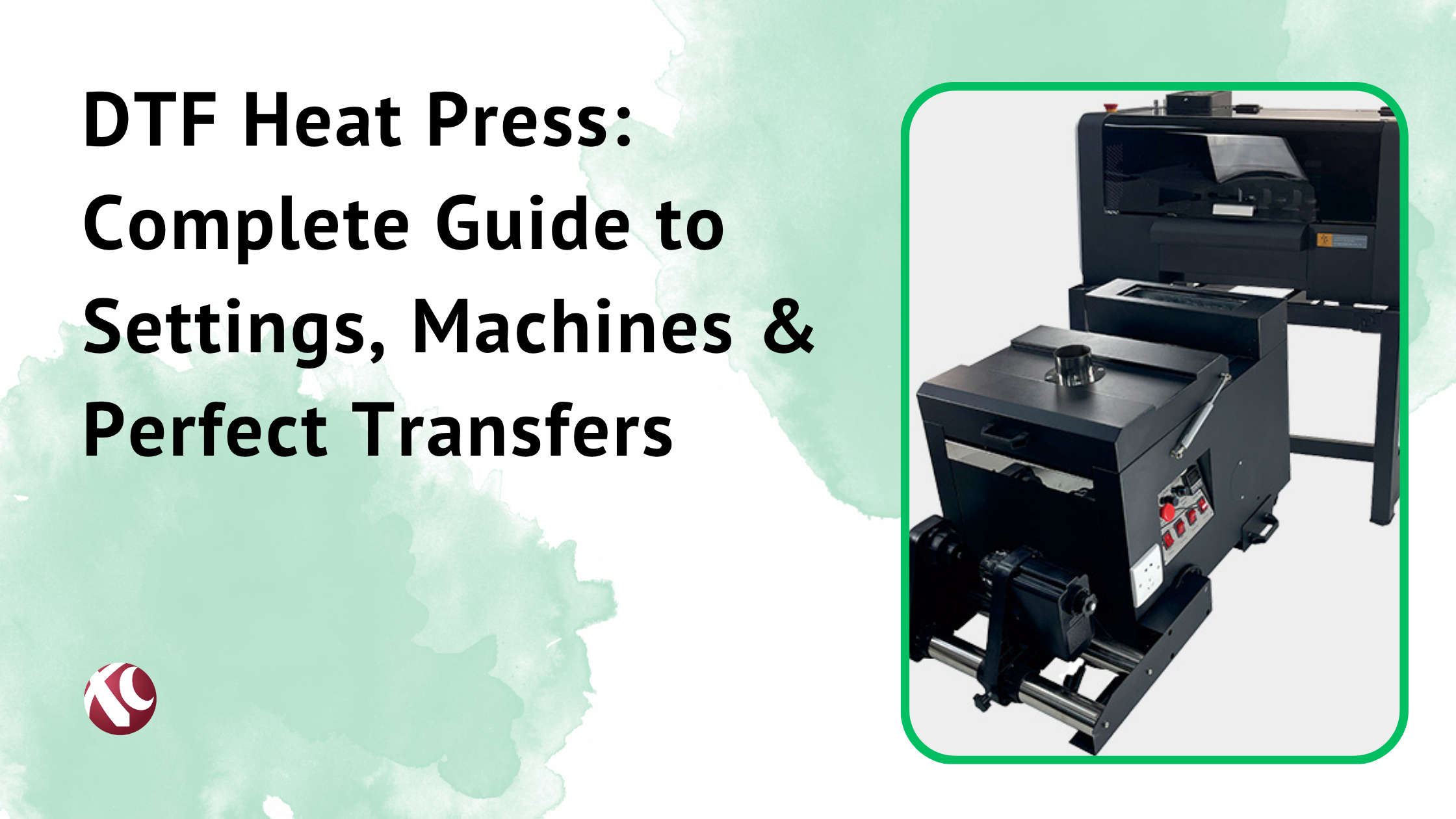
Automatic powder shakers: The printer feeds the film through a machine that applies powder evenly and cures it automatically. Way faster. Way more consistent. Essential for medium to high volume.
Even distribution matters. Uneven powder means weak spots in your transfer. Bad adhesion. Customer complaints.
Some systems combine printer, shaker, and curing oven in one unit. Others are separate components. All-in-one saves space but can be harder to troubleshoot when something breaks.
9. Brand Reputation and Support
This is huge. Probably more important than most specs.
A great printer from a company with terrible support is a liability. When something breaks—and something will eventually break—you need help fast.
Look for:
- Technical support availability (phone, email, chat)
- Response time (same day? Same week?)
- Training and onboarding (do they teach you how to use the machine?)
- Local technicians (or do you have to ship the printer back?)
XCInkjet, for example, offers pretty comprehensive support packages—training, technical assistance, spare parts availability. That kind of backing is worth paying for.
Check customer testimonials. Not the cherry-picked ones on the manufacturer’s website. Look at independent reviews. Ask for references and actually call them.
10. Scalability and Upgrade Options
Where will your business be in three years?
A printer that’s perfect for today might be a bottleneck next year if you grow fast. Think ahead.
Can you add components later? A second printhead, bigger ink tanks, automation upgrades?
Some manufacturers offer trade-in or upgrade programs. Buy an entry-level machine now, trade it toward a production model later. That’s worth considering.
Modular systems that let you add capacity are more future-proof than fixed configurations. But they also cost more upfront. Balance that against your growth expectations.
Comparing Popular DTF Printer Brands

I’ll be straightforward here. There are a lot of brands in this market. Some good, some not.
XCInkjet DTF Printers Overview
XCInkjet has positioned themselves as a solid mid-to-upper tier option in the DTF space. Here’s what they bring:
Product range: They cover entry-level through industrial. A3 desktop units for starters, 60cm machines for production, and everything in between. Nice to have options when you’re ready to scale.
Key advantages:
- Epson printhead options across the lineup
- Strong focus on ink circulation systems (reduces clogging)
- Integrated powder shaking on mid-range and up
- Reasonable pricing for the build quality
Technology innovations: Their white ink management is better than average. White ink is the pain point for a lot of DTF users—clogging, settling, uneven output. XCInkjet seems to have put extra engineering into solving that.
Support: Training programs for new buyers. Technical support that actually responds. Spare parts availability. This stuff matters when you’re running a business and can’t afford days of downtime.
Warranty: Competitive coverage. Details vary by model but they don’t hide behind fine print.
I’m not saying they’re the only option. But they’re worth including in your shortlist.
Steps to Choose the Right DTF Printer for Your Business
Alright, let’s make this actionable. Here’s a step-by-step process you can actually follow.
Step 1: Define Your Business Goals and Budget
Before anything else, get clear on what you’re trying to achieve.
Set specific objectives:
- Revenue target for year one
- Production capacity needed
- Growth timeline (where do you want to be in 3 years?)
Establish your total budget: Not just the printer. Include powder shaker (if separate), curing equipment, heat press, ink, film, workspace setup, working capital for the first few months.
Write a basic business plan: Doesn’t need to be fancy. But putting numbers on paper forces you to think realistically. What are your costs? What’s your pricing? What volume do you need to be profitable?
Step 2: Research and Compare DTF Printer Options
Time to gather information.
Where to research:
- Manufacturer websites (obviously)
- YouTube reviews and comparisons
- DTF printing forums and Facebook groups
- Trade shows if you can attend
- Existing users in your network
Create a comparison spreadsheet: Columns for price, print width, speed, resolution, printhead type, warranty, support options. Fill in the data for every printer you’re considering.
Shortlist 3-5 models: Don’t overwhelm yourself with too many options. Pick the top contenders that fit your criteria and dig deeper into those.
Step 3: Request Demos and Sample Prints
Don’t buy a printer without seeing it work.
Request demos: Many manufacturers offer virtual or in-person demonstrations. Watch the full process—printing, powder application, curing, pressing.
Get sample prints: Ask for samples on the fabric types you’ll be using. Then test them. Wash them. Stretch them. Check color vibrancy after five washes. See how the print holds up.
Questions to ask during demos:
- What’s the actual production speed at high-quality settings?
- How often does this model need maintenance?
- What’s the typical printhead lifespan?
- What support do you provide after purchase?
Visit a showroom if possible: Nothing beats seeing equipment in person. Check build quality, listen to noise levels, get a feel for the workflow.
Step 4: Calculate Total Cost of Ownership
The purchase price is just the start.
Factor in:
- Consumables (ink, film, powder) per print
- Electricity costs
- Maintenance and replacement parts
- Potential downtime costs
- Upgrades you’ll likely need later
Cost per print formula: (Ink cost + Film cost + Powder cost + Maintenance allocation) ÷ Number of prints
Break-even analysis: Total investment ÷ Profit per print = Number of prints to break even
3-year projection: Calculate total costs over three years for each printer you’re considering. The cheapest upfront option isn’t always cheapest long-term.
Step 5: Check Warranty and After-Sales Support
This is more important than people realize.
Warranty details to verify:
- What’s covered? Parts only? Labor?
- How long is the coverage?
- What voids the warranty? (Using third-party ink sometimes does.)
- Is the printhead included or separate coverage?
Support questions:
- What’s the typical response time for technical issues?
- Do they have technicians in your region?
- Is phone support available or email only?
- What training do they provide?
Spare parts:
- Are replacement parts readily available?
- What’s the lead time for common parts like printheads?
- Can you stock critical spares yourself?
Step 6: Read Reviews and Get References
Trust but verify.
Independent reviews: Look beyond the manufacturer’s testimonials. Check Reddit, DTF forums, Facebook groups. Search “[printer model] problems” to see what issues come up.
Ask for references: Any reputable manufacturer should provide customer references. Actually contact them. Ask about their experience. Would they buy the same printer again?
Join communities: DTF printing groups on Facebook. Forums like T-Shirt Forums. The DTF subreddit. People share real experiences—good and bad.
Step 7: Make an Informed Purchase Decision
You’ve done the work. Now decide.
Don’t let price be the only factor: The cheapest printer might cost you more in downtime, frustration, and lost customers. Balance value against cost.
Financing options: Many manufacturers offer payment plans. Equipment financing is also available through third parties. Don’t let cash flow constraints force you into the wrong decision.
Negotiate: Especially on larger purchases. Ask about bundle pricing, free supplies, extended warranty, or training. The worst they can say is no.
Get everything in writing: Delivery timeline. Installation included? Training included? Warranty terms. Don’t assume—confirm.
How long does a DTF printer last?
With proper maintenance, a quality DTF printer should last 5-7 years or more.
Printheads are the main consumable component. Epson i3200 heads typically last 1-3 years depending on usage and maintenance. XP600 heads might need replacement sooner—sometimes within a year of heavy use.
Regular maintenance extends everything. Skip maintenance and you’ll be replacing parts or buying a new printer way sooner.
When to upgrade vs. repair: If repairs cost more than 40-50% of a new equivalent printer, usually better to upgrade. Also consider whether the printer still meets your production needs.
Can I start a DTF printing business from home?
Yes. Lots of people do.
Space requirements: Entry-level setup needs maybe 50-100 square feet. A desk for the printer, space for a heat press, storage for supplies.
Ventilation: DTF printing produces some fumes, especially during curing. You’ll want ventilation—an open window and fan at minimum, ideally a proper exhaust system.
Noise: Printers aren’t silent. Probably fine during business hours. Maybe not at midnight in an apartment.
Zoning and legal: Check your local regulations. Some areas restrict home businesses. Some require business licenses. Don’t skip this—it can cause headaches later.
Recommended starter equipment: A3+ DTF printer, manual powder shaker, heat press, basic supplies. Total investment under $5,000 is possible.
What is the best DTF printer brand?
There isn’t a universal “best.” There’s best for your specific situation.
Objective criteria for evaluating:
- Print quality for your needs
- Reliability track record
- Support quality in your region
- Total cost of ownership
- Scalability options
Why XCInkjet stands out: Good balance of price and quality. Strong support infrastructure. Range of options from entry to industrial. Reliable technology without premium pricing.
But “best” depends on your volume, budget, priorities, and location. A brand with great support in Europe might have no presence in South America. A printer perfect for a production shop is overkill for a home startup.