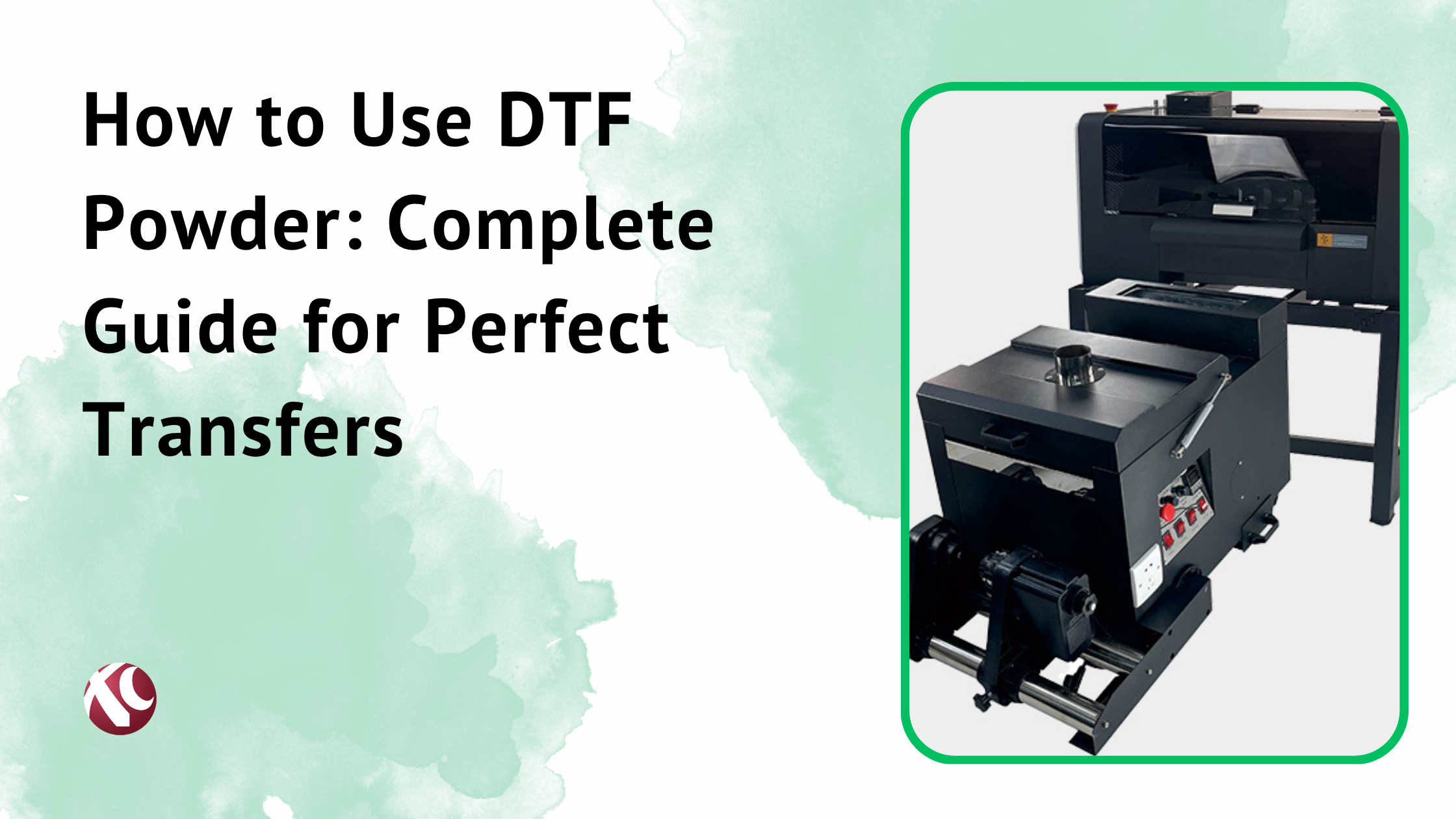
Look, if you’re running a small business and you’re still on the fence about DTF printing, I get it. The market’s flooded with options. Everyone’s got an opinion. And yeah, it can feel overwhelming.
But here’s the thing. DTF printing has completely changed what’s possible for small custom printing businesses. I’ve watched this technology evolve over the past few years, and what we’re seeing in 2026 is honestly impressive.
DTF stands for Direct to Film. Simple concept. You print your design onto a special film, apply adhesive powder, cure it, then heat press it onto pretty much any fabric you want. Cotton, polyester, blends, even leather. It just works.
Why does this matter for small business? Cost. Versatility. Quality. And you don’t need a warehouse full of equipment to get started.
This guide covers everything. What DTF printing actually is. How the process works. What features matter when you’re shopping for a printer. The supplies you’ll need. How to pick the right machine for YOUR business. And yeah, I’ll compare DTF to the other methods out there so you know exactly where it makes sense.
Let’s get into it.
What is DTF Printing Technology?
DTF printing is exactly what it sounds like. Direct to Film. You’re printing directly onto a clear PET film instead of printing directly onto fabric.
The difference between this and DTG? DTG prints straight onto the garment. Which sounds better in theory. But DTG is picky about fabrics. Mostly works well on cotton. Needs pre-treatment. The maintenance is a headache.
DTF doesn’t care what fabric you’re working with. Cotton? Great. Polyester? No problem. That weird poly-cotton blend? Still works. Leather? Yep.
Screen printing is the old-school method. Still has its place for massive bulk orders. But for small runs? The setup time and costs make no sense.
That’s why DTF hit so hard with small businesses. You can do a one-off custom shirt profitably. You can do 500 shirts. The economics work at any volume.
The print quality? Clean, vibrant, detailed. The colors pop. Fine text stays sharp. Photographic images actually look good.
And here’s what people don’t talk about enough. The feel. Modern DTF transfers are soft. They’re flexible. They don’t crack after washing like cheap heat transfers from ten years ago.
How DTF Printing Works
The process has five steps. Each one matters.
Step 1: Design Creation You create your design in whatever software you use. Photoshop, Illustrator, CorelDraw, whatever. Standard stuff. The design gets sent to your RIP software which preps it for printing.
Step 2: Printing on PET Film The printer lays down the design on special PET film. Here’s the key part. White ink gets printed first as a base layer, then CMYK colors go on top. This is backwards from how you might think, but it makes sense. The white becomes the backing that sits against the fabric.
Step 3: Powder Application Right after printing, while the ink’s still wet, adhesive powder gets applied to the printed area. The powder only sticks to the wet ink. Excess gets shaken off. This is what bonds the transfer to your fabric later.
Step 4: Curing/Melting The printed film goes through a curing unit. Basically a small oven. The powder melts and fuses with the ink. Now you’ve got a transfer that’s ready to use.
Step 5: Heat Transfer to Garment Place the transfer on your fabric, hit it with a heat press at the right temperature and pressure, peel off the film. Done. The design is permanently bonded to the material.
Why does each step matter? Because cutting corners anywhere shows up in the final product. Bad powder application means peeling. Wrong cure temperature means transfers that crack. Cheap film means registration issues.
When the process is dialed in though? The results are legitimately impressive.
Key Features to Look for in DTF Printers for Small Business

Here’s where most people mess up. They focus on the wrong things. They chase specs that don’t matter for their situation. Or they cheap out on stuff that’ll cost them later.
Your ROI comes down to picking features that match your actual business. Not someone else’s business. Yours.
Let me break down what actually matters.
1. Print Size and Bed Dimensions
Common sizes you’ll see: A3, A3+, 30cm, 60cm. Sometimes bigger.
For most small businesses doing t-shirts and standard apparel? A3+ or 30cm width handles like 90% of what you’ll print. That covers chest prints, back prints, sleeve prints, all of it.
If you’re planning to do all-over prints or oversized designs? Then yeah, 60cm or larger makes sense.
But here’s my take. Don’t buy for hypothetical future products. Buy for what you’re actually going to sell. You can always gang up smaller prints on a larger format machine, but you’re paying for capacity you might not need.
Think about scalability though. If you’re confident you’ll grow into bigger formats within a year or two, factor that in. But if you’re just starting? A solid A3+ machine will serve you well.
2. Print Speed and Production Capacity
Print speed gets marketed heavily. And yeah, it matters. But context matters more.
Entry-level machines might do 3-4 square meters per hour. Mid-range hits 6-8. High-end production machines go way beyond that.
Here’s the thing though. Your actual bottleneck might not be print speed. It’s often the pressing stage. Or the design prep. Or the order management.
If you’re doing 20 shirts a day? Almost any DTF printer handles that easily.
If you’re pushing 200+ shirts daily? Speed matters. A lot.
Calculate backwards from your order volume. How many prints do you need per day? Per week? Give yourself some headroom for busy periods. But don’t pay for production capacity you won’t use.
3. Print Resolution and Quality
DPI. Dots per inch. Higher numbers mean finer detail. Usually.
Most DTF printers work in the 720dpi to 2400dpi range. Here’s the reality though. For standard t-shirt graphics? 720dpi looks great. The jump to 1440dpi helps on detailed work. Beyond that? Diminishing returns for most applications.
Where resolution really matters: small text, intricate patterns, photographic images with gradients.
If you’re doing mostly bold graphics and simple designs? Don’t overpay for resolution you won’t notice.
If you’re doing detailed artwork and photorealistic stuff? Then yeah, higher resolution printers make sense.
4. Ink System and Color Configuration
Basic setup is CMYK plus white. Cyan, magenta, yellow, black, and that crucial white layer.
Some printers run dual CMYK systems. This speeds up production significantly because both color passes happen faster.
White ink is the one you’ll use most. It’s also the one that causes the most problems if you don’t maintain it properly. White ink has heavier pigments. They settle. You need a printer with good circulation to keep it agitated.
Ink consumption varies by design. Heavy coverage uses more ink. Makes sense. When you’re pricing jobs, know your ink cost per print. Some manufacturers are way more expensive on consumables than others.
Color accuracy matters if you’re doing branded work. Matching Pantone colors consistently? That requires good color management and a reliable ink system.
5. Powder Shaker and Curing System
This is where some cheaper systems cut corners. Don’t let them.
Automatic powder shakers apply adhesive evenly and shake off the excess. Manual powder application works but it’s slower and less consistent.
For any real production volume? Automatic is worth it. The time savings add up fast. And consistency matters for quality.
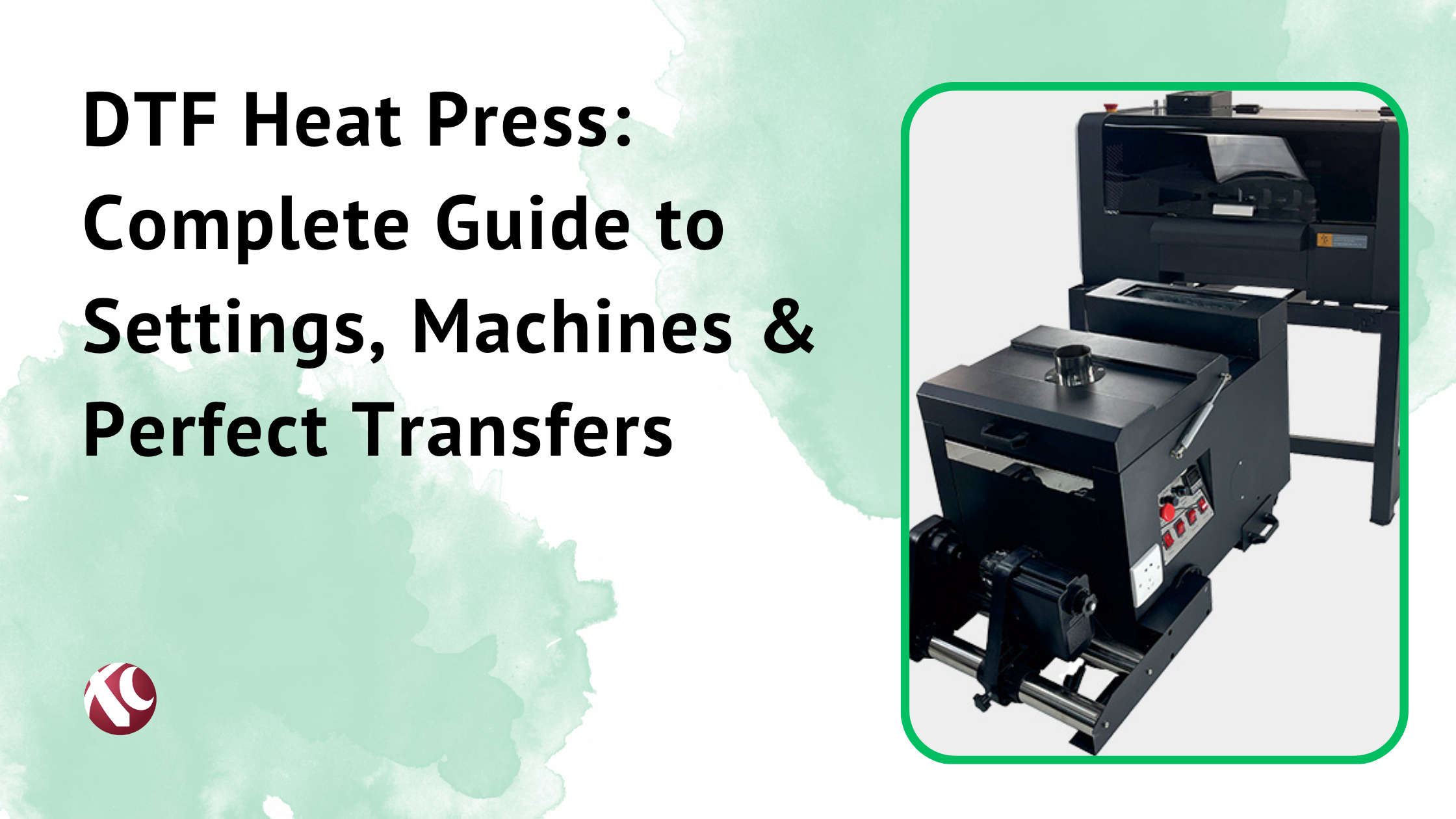
Curing systems vary too. Some are built-in, some are separate units. Temperature control needs to be accurate. Uneven curing causes problems downstream.
Look for systems that handle the whole workflow smoothly. Print, powder, cure, in a continuous process. That’s where efficiency comes from.
6. Software Compatibility and Ease of Use
Every DTF printer needs RIP software to work properly. RIP stands for Raster Image Processor. It handles color management, white ink generation, print queue management.
Some printers include RIP software. Others require you to buy it separately. Popular options include Cadlink, Wasatch, Flexi, Maintop. Prices vary widely.
Compatibility with your design software matters. If you live in Adobe Creative Cloud, make sure everything plays nice together. Same with CorelDraw or whatever you use.
User interface complexity is real. Some systems are intuitive. Some have a learning curve. If you’re not super technical? Factor that in. If you’re training staff to run the machine? Factor that in too.
Automation features save time. Auto-nesting multiple designs on one sheet. Automatic color correction. Queue management. Little things add up over thousands of prints.
7. Reliability and Build Quality
This is where brand reputation actually means something.
Print heads are the heart of any DTF printer. Epson print heads dominate the market. The i3200 is excellent. XP600 is common in budget machines and works well for the price point.
Print head replacement costs real money. Hundreds of dollars, sometimes more. A printer that burns through heads frequently is expensive long-term even if the upfront cost was low.
Maintenance requirements differ by machine. Some need daily attention. Some are more forgiving. Be honest with yourself about how diligent you’ll actually be.
Expected lifespan matters for ROI calculations. A machine that runs reliably for 3-5 years of heavy use? Worth paying more for.
Warranty tells you something about manufacturer confidence. Longer warranty with good terms? Usually means better build quality.
8. Budget and Total Cost of Ownership
Initial price is just the start. Everyone knows this. Not everyone calculates it properly.
Entry-level DTF setups start around $2,000-3,000. Mid-range runs $5,000-10,000. Professional production systems go $15,000+. Way up from there for industrial scale.
But then there’s consumables. Film, powder, ink. These are ongoing costs forever.
Ink costs vary wildly between brands. Some lock you into proprietary inks at premium prices. Some work with third-party options. Do the math.
Maintenance expenses add up. Cleaning supplies, replacement parts, occasional service calls.
Electricity usage matters if you’re running production all day. Curing ovens especially.
Here’s how to think about it. Calculate your cost per print including everything. Materials, electricity, your time, maintenance reserves. Know your true cost. Then you can price profitably.
A $3,000 printer with expensive consumables might cost more per print than a $6,000 printer with cheaper ongoing costs. Run the numbers for your expected volume.
Essential DTF Printing Supplies and Consumables

Your printer is one-time. Your supplies are forever. Understanding consumables matters for profitability.
DTF Film
DTF film is what you print on. PET film specifically designed for this process.
Quality varies. Cheap film has issues with ink absorption, registration marks, and clean peeling. Good film runs smoothly and releases cleanly.
Most film comes in rolls. Common widths match printer sizes. A3, 30cm, 60cm.
Cost runs roughly $20-50 per 100 meters depending on quality and quantity. Buying in larger quantities saves money.
Storage matters. Keep film away from humidity and dust. A controlled environment extends shelf life and reduces waste.
DTF Powder (Adhesive)
The powder is what actually bonds your transfer to fabric. TPU-based (thermoplastic polyurethane) is standard.
Grain sizes vary. Finer powder works better for detailed designs. Coarser powder can handle heavier coverage.
Coverage rate depends on your designs. Heavy coverage areas need more powder. The shaker should apply enough without overdoing it.
Shelf life is decent but not unlimited. Keep it sealed when not in use. Moisture is the enemy.
Cost per kilogram ranges from $15-30 for quality powder. One kg goes a long way if you’re not wasting it.
DTF Inks
DTF inks are pigment-based. Formulated specifically for the DTF process and heat transfer.
CMYK plus white is standard. Some setups add light cyan and light magenta for smoother gradients.
White ink matters most and costs most. You’ll use roughly 40-50% of your total ink on white alone.
Compatibility is non-negotiable. Use inks designed for your specific print heads. Wrong ink damages expensive components.
Cost per liter varies from $50-200+ depending on brand and quality. Proprietary inks cost more. Third-party compatible inks save money but verify quality first.
Shelf life is usually 12-18 months unopened. Once opened, use within a few months for best results.
Heat Press Requirements
The heat press is crucial. Don’t skimp here.
DTF transfers typically need 320-330°F (160-165°C) and medium pressure for 10-15 seconds. Specifics vary by film and powder type.
Manual presses work fine for lower volumes. Auto-open presses are worth it if you’re pressing all day. Saves time and prevents over-pressing.
Swing-away or clamshell design? Both work. Swing-away keeps the garment away from the heating element when loading. Some people prefer that.
Quality matters for even heat distribution. Cheap presses have hot spots. Hot spots cause problems. Spend enough to get consistent results.
How to Choose the Right DTF Printer for Your Small Business
Forget specs for a minute. Think about your business.
Assess Your Production Needs
How many items are you actually going to print? Be realistic. Optimistic projections are nice but plan for reality.
Start with current demand if you’re already running. Where do you want to be in a year? Two years?
Peak seasons matter. If you sell custom merchandise, holiday season probably means 3x normal volume. Can your equipment handle peaks?
Product variety affects your choice. Just t-shirts? Simple. T-shirts plus hoodies plus bags plus hats? You need versatility.
Growth projections should be realistic. Don’t buy industrial equipment for a side hustle. Don’t buy hobby equipment for a growing business.
Determine Your Budget
Total startup capital. What can you actually spend?
Equipment costs include printer, heat press, computer to run things. Don’t forget the basics.
Consumables budget for first few months of operation. Film, powder, ink, blank garments, packaging.
Working capital for ongoing supplies. You’ll need to reorder before revenue catches up. Plan for that gap.
Financing exists in 2026. Equipment loans, leasing options, payment plans from some vendors. If the numbers work, financing can make sense.
Consider Your Space and Workflow
Measure your actual space. Printers take room. Heat presses take room. You need workspace around everything.
Ventilation requirements are real. DTF printing produces fumes. Nothing crazy, but proper ventilation matters for safety and comfort.
Power supply needs checking. Production equipment draws real amperage. Make sure your electrical can handle it.
Workflow layout affects efficiency. Think about the sequence. Printing, powdering, curing, pressing, finishing. Movement between stations should make sense.
Future expansion space? If you plan to add equipment later, have room for it.
Evaluate Support and Training
Manufacturer support quality varies dramatically. Some companies answer the phone. Some don’t.
Training availability matters when you’re starting. Video resources, documentation, live support options.
Local service technicians save time versus shipping machines back for repair. Ask about service networks.
Online resources and user communities provide real-world help. Facebook groups, forums, YouTube channels. Active communities around specific brands signal good things.
DTF vs Other Printing Methods: When to Choose DTF
DTF isn’t always the answer. But it’s the answer more often than most people think.
DTF vs DTG (Direct to Garment)
DTG prints directly on fabric. No transfer step. Sounds simpler.
But DTG has limitations. Works best on cotton. Requires pre-treatment. Maintenance is intensive. Print heads clog if you don’t run the machine regularly.
DTF is more versatile on fabrics. Maintenance is more forgiving. No pre-treatment needed.
Quality is comparable for most applications. DTG might edge out DTF on some cotton applications. Maybe.
Cost per print? DTF usually wins, especially at lower volumes.
Best fit for DTG: High-volume operations focused primarily on cotton, with staff dedicated to maintenance.
Best fit for DTF: Most small businesses, mixed fabric applications, lower maintenance tolerance.
DTF vs Screen Printing
Screen printing has been around forever. For good reason. At high volumes, nothing beats it on cost per unit.
But setup time is real. Creating screens takes time and money. Minimum order quantities exist because of this setup cost.
Color limitations matter too. Each color needs a separate screen. Complex designs with many colors get expensive fast.
DTF has no setup costs per design. You can print one shirt profitably. Try that with screen printing.
Detail capability favors DTF. Fine text, gradients, photographic images. DTF handles these easily. Screen printing struggles.
Best fit for screen printing: Large orders (500+) of the same design. Simple color palettes. Tight margins where cost per unit matters most.
Best fit for DTF: Small runs, custom orders, complex designs, quick turnaround, varied products.
DTF vs Sublimation
Sublimation produces incredible colors. Vibrant. Permanent. The ink literally becomes part of the fabric.
Big limitation though. Sublimation only works on polyester and poly-coated surfaces. Cotton? Doesn’t work. Most blends? Doesn’t work.
DTF works on everything. That versatility matters for most small businesses.
Color vibrancy is better with sublimation on compatible materials. The colors really pop.
Durability is excellent for both methods when done properly.
Best fit for sublimation: Polyester-focused products like athletic wear, all-over prints on poly fabrics.
Best fit for DTF: Mixed fabric inventory, cotton products, varied material applications.
DTF vs Vinyl Cutting
Vinyl cutting is simple. Affordable entry point. Works great for simple text and basic graphics.
Design complexity is limited though. Forget photographic images. Multi-color designs require layering cut pieces.
Feel is different. Vinyl sits on top of fabric. It’s noticeable. DTF integrates better with the material.
Production time for complex vinyl designs gets slow with all the cutting, weeding, and layering.
Best fit for vinyl: Simple text, names, numbers, basic logos. Especially on performance wear where vinyl excels.
Best fit for DTF: Anything complex, photographic, multi-color, or where soft feel matters.
Honestly? Many businesses use both. Vinyl for simple personalization, DTF for detailed graphics.
How much does a DTF printer cost for small business?
Entry-level: $2,000-4,000. Gets you started. Usually smaller format, slower speeds, basic features.
Mid-range: $5,000-10,000. Better speed, reliability, features. Good for growing businesses with real volume.
Professional: $15,000-30,000+. Production-level equipment. Higher speeds, better durability, premium support.
Don’t forget the extras. Heat press ($500-2,000), computer, consumables inventory. Budget an extra $2,000-3,000 beyond the printer itself.
What is the best DTF printer for beginners?
Beginners need reliability, good support, and reasonable learning curve.
Look for established brands with active user communities. When you hit problems (you will), you need answers fast.
A3+ format machines work well for most beginners. Manageable size, handles standard products, doesn’t overwhelm.
Bundled packages that include everything can simplify startup. Printer, shaker, curing unit, heat press, RIP software, starter supplies.
I’d lean toward slightly overspending on support quality versus saving money on equipment with poor backup.
How profitable is DTF printing for small business?
Real numbers. Cost per print including all consumables typically runs $1.50-4.00 depending on size and design complexity.
A standard chest print might cost you $2 in materials. Sell the finished shirt for $25. That’s solid margin.
Break-even on equipment depends on volume. A $5,000 setup making $15 profit per shirt? Break even in 350 shirts approximately.
Realistic income? Wide range. Side hustlers making $500-1,000/month profit. Full-time operations hitting $5,000-10,000+ monthly.
Profitability depends on your ability to sell, not just your ability to print. Marketing matters.
Can I start a DTF printing business from home?
Yes. Many people do.
Space requirements: dedicated room or large garage space. You need room for equipment and workspace.
Zoning considerations vary by location. Check local regulations about home-based businesses and light manufacturing.
Ventilation is important. Not just for regulations but for your own health and comfort.
Noise is minimal compared to some methods but exists. Heat press clicks, printer operates.
Growth path typically goes: home garage/spare room → small commercial space → larger facility as volume grows.
How long does it take to learn DTF printing?
Basic operation? A few days of focused practice. You’ll produce sellable products within a week.
Proficiency takes longer. Understanding troubleshooting, optimizing settings, managing color consistency. Give it 1-3 months.
Mastery is ongoing. New materials, new techniques, improving efficiency. Never really stops.
Training resources include manufacturer videos, YouTube tutorials, online courses, community forums. Most of it is free.
First saleable product? Honestly, sometimes day one. The learning curve isn’t steep. Quality and consistency improve over time though.
What maintenance does a DTF printer require?
Daily tasks: Head cleaning, nozzle checks, white ink agitation, basic wipedown. 10-15 minutes.
Weekly tasks: Deeper cleaning, checking supply levels, inspecting components. 30-60 minutes.
Monthly tasks: Thorough cleaning, replacing wiper blades and caps if needed, checking alignment. 1-2 hours.
The main thing? Consistency. A few minutes daily prevents hours of fixing problems later.
Maintenance cost is mostly cleaning supplies and occasional replacement parts. Budget $50-100/month for well-maintained equipment.
Which brands make the most reliable DTF printers?
Several solid manufacturers in 2026.
Look for brands using quality Epson print heads. i3200 heads are excellent. XP600 works well for the price.
XC Inkjet offers competitive options worth considering, especially if budget matters. Their support has been decent from what I’ve seen.
Customer satisfaction data from user communities often tells you more than marketing materials. Real users share real experiences.
Warranty length and terms indicate manufacturer confidence. Three-year warranties with good coverage suggest reliability.
Can DTF printing work on all fabric types?
Most fabrics. Not literally all.
Works great: Cotton, polyester, cotton-poly blends, rayon, leather, denim, canvas.
Works with adjustments: Nylon, silk (test first), some technical fabrics.
Doesn’t work well: Extremely heat-sensitive materials, some waterproofed fabrics, anything that can’t handle 320°F.
Testing recommendation: Always test new materials before committing to customer orders. Settings may need adjustment.
How many shirts can I print per hour with a DTF printer?
Variables include print size, design complexity, and printer speed rating.
Entry-level machines: 10-20 standard chest prints per hour realistically.
Mid-range machines: 20-40 prints per hour.
Production machines: 40-100+ prints per hour.
Remember though. Printing is one step. You still need to press each transfer. Your heat press cycle time matters too. A 15-second press cycle means 4 presses per minute maximum. That’s often the actual bottleneck.
Do I need special training to operate a DTF printer?
Special training? Not really. These machines are designed for small business owners.
Helpful background includes basic computer skills, some design knowledge, willingness to learn.
Most manufacturers provide training materials. Video tutorials, documentation, sometimes live training sessions.
Technical expertise develops over time. You’ll learn troubleshooting by doing. Color management improves with practice.
Formal certification? Not required. Not particularly valuable either in my opinion. Real-world experience matters more.